Visual Task Boards
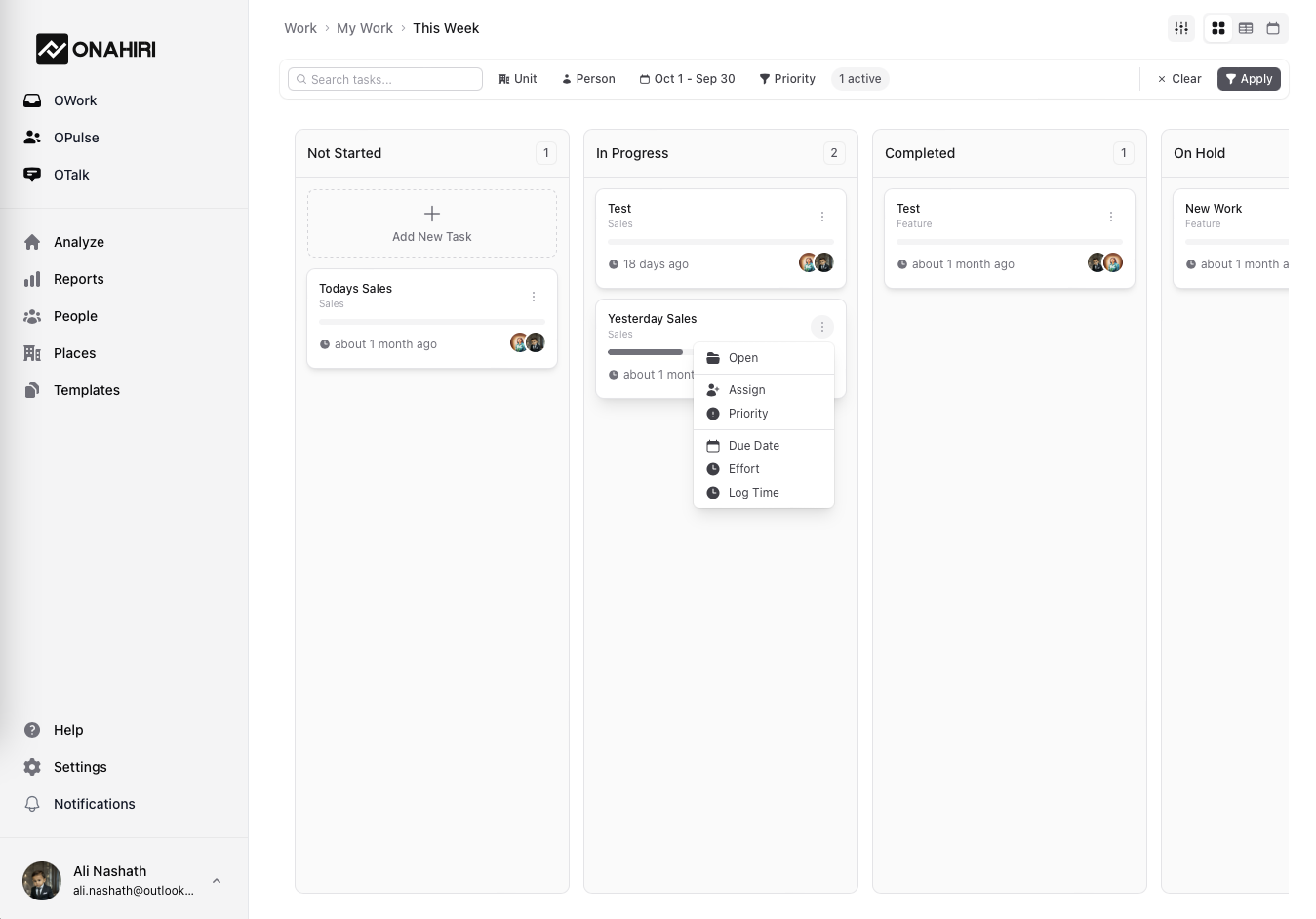
Organize tasks with ease using interactive task cards that display.
- Task name, start date, and progress bar
- Assigned team members with avatars
- Drag-and-drop movement between status columns
- Quick hover for extra details
Detailed Task Panels
Click any task to access the information you need.
- Tabs for: Basic info, custom fields, workflows, team roles, and activity logs
- Edit inline: Names, descriptions, due dates, priority, status, and tags
- Track progress: Update completion percentages and logged hours
Structured Workflows
Work smarter with step-by-step task flows
- Mark steps completed to auto-update progress
- Revert steps if needed
- Visual workflow tracking ensures nothing is missed
Smart Messaging Features
Task Management Made Simple
OWork helps you streamline your workflow—whether you're planning a project, tracking progress, or collaborating with your team
TEAM ROLES & ASSIGNMENTS
Assign roles and responsibilities clearly.
DASHBOARD
Helps Track Progress.
REAL-TIME COLLABORATION
Seamless teamwork, built into every task. Chat panels, live updates, and realtime alerts.
TIME TRACKING
Track time without leaving the task.
REPORTING
Fully custom Reports.
SUPPORT
Break down tasks into smaller pieces.